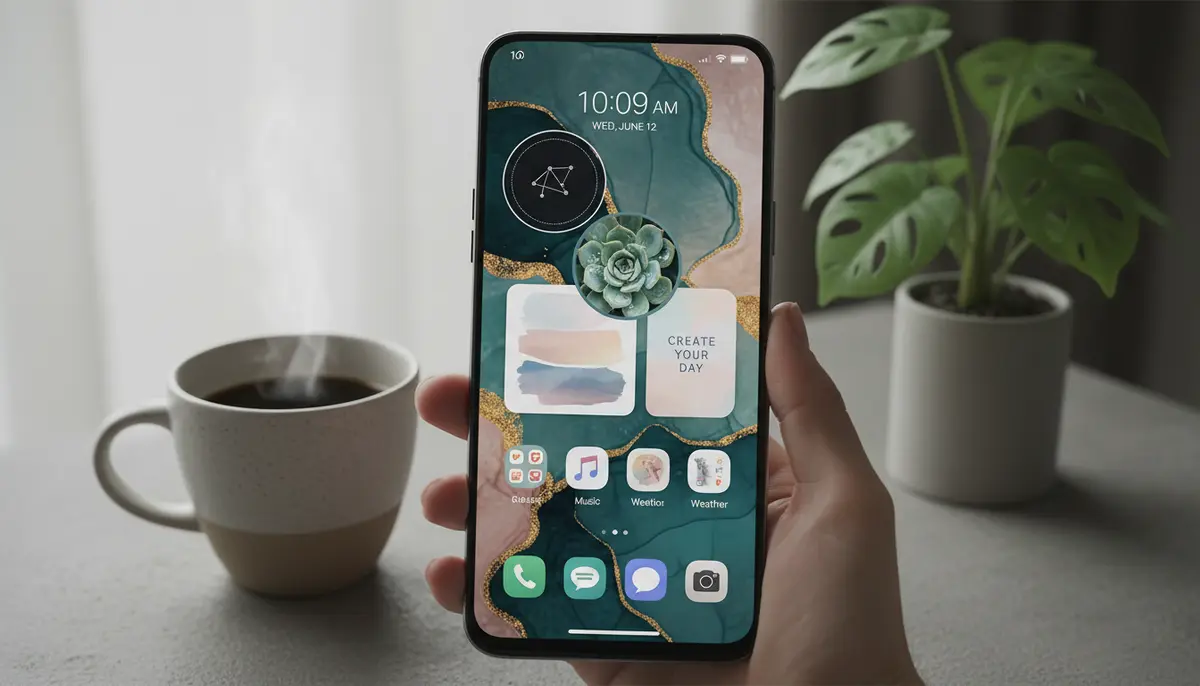
In 2025, your smartphone is more than just a communication tool. It's a canvas for self-expression. One of the most impactful ways to personalize your device is through the strategic use of aesthetic widget images. These aren't just functional tools; they are visual statements that reflect your style, mood, and personality. Gone are the days of generic app icons and bland interfaces. Today, users demand a highly customized digital experience. This guide will walk you through everything you need to know about transforming your device with beautiful aesthetic widget images.
We'll explore where to find the best images, how to create your own, and step-by-step instructions for both iOS and Android. Get ready to elevate your digital aesthetic and make your phone truly yours. Your home screen is often the first thing you see, so let's make it inspiring.
What Are Aesthetic Widget Images and Why Do They Matter in 2025?
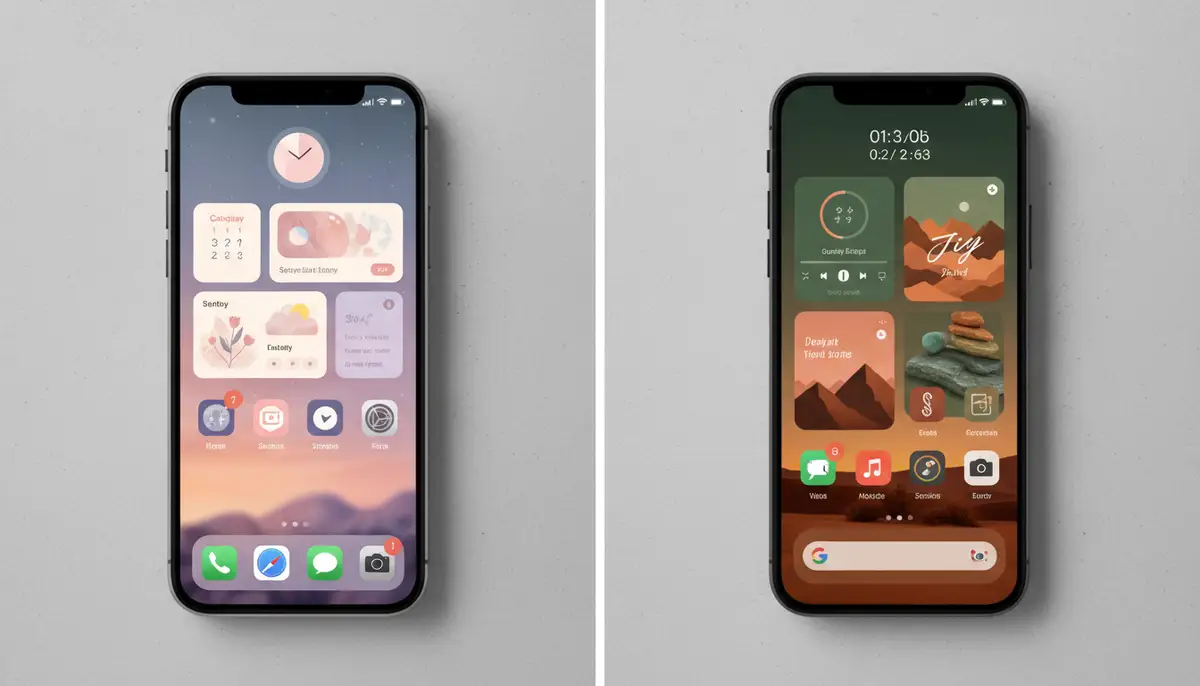
Aesthetic widget images are essentially small applications or visual elements that sit directly on your phone's home screen. They display information, offer quick access to features, or simply serve as decorative art. What makes them 'aesthetic' is their focus on visual appeal, cohesive design, and ability to blend harmoniously with your chosen theme. They transform a functional interface into a personalized masterpiece.
In 2025, the digital landscape is more competitive than ever. Brands and individuals alike are seeking unique ways to stand out. Your phone's home screen, powered by stunning aesthetic widget images, becomes a part of your personal brand. It's a quick glance into your digital world, designed exactly how you like it. This level of customization enhances user satisfaction significantly.
- Enhanced personalization: Make your device truly reflect your style.
- Improved user experience: Information at a glance, beautifully presented.
- Boosted mood and productivity: A visually pleasing environment can positively impact your day.
- Digital decluttering: Consolidate information in a stylish, organized way.
- Creative expression: Showcase your artistic side without needing advanced design skills.
The Rise of Personalization: Beyond Basic Icons
The journey towards highly personalized interfaces began years ago. Early widgets were often clunky and limited. However, as operating systems evolved, so did the possibilities for customization. Apple's iOS 14 introduced significant widget capabilities, catching up to Android's long-standing flexibility. This shift democratized home screen design, allowing millions to experiment with unique layouts and visual themes. Now, in 2025, aesthetic widget images are at the forefront of this movement.
Users no longer settle for default settings. They actively seek ways to make their devices feel more personal and less generic. This trend is driven by a desire for digital comfort and efficiency. A well-designed home screen, featuring carefully selected aesthetic widget images, can reduce digital fatigue. It creates a calm and inviting digital space.
Choosing Your Aesthetic: Styles and Themes
Before you dive into adding aesthetic widget images, consider your desired aesthetic. This foundational step guides all your design choices. Do you prefer a calm, minimalist look? Or are you drawn to vibrant, dynamic colors? Understanding your style helps you select cohesive images and themes. Think about the overall feeling you want your home screen to evoke.
- Minimalist Chic: Clean lines, muted colors, simple typography. Focus on functionality without clutter.
- Vintage Vibes: Sepia tones, retro fonts, classic imagery. Evokes a sense of nostalgia.
- Dark Mode Elegance: Deep blacks, subtle grays, contrasting bright accents. Perfect for reducing eye strain and saving battery.
- Vibrant & Playful: Bold colors, fun graphics, quirky illustrations. Expresses energy and creativity.
- Nature Inspired: Earthy tones, botanical elements, serene landscapes. Brings a sense of calm to your digital space.
- Artistic Collage: Mix and match different styles, textures, and images to create a unique visual story.
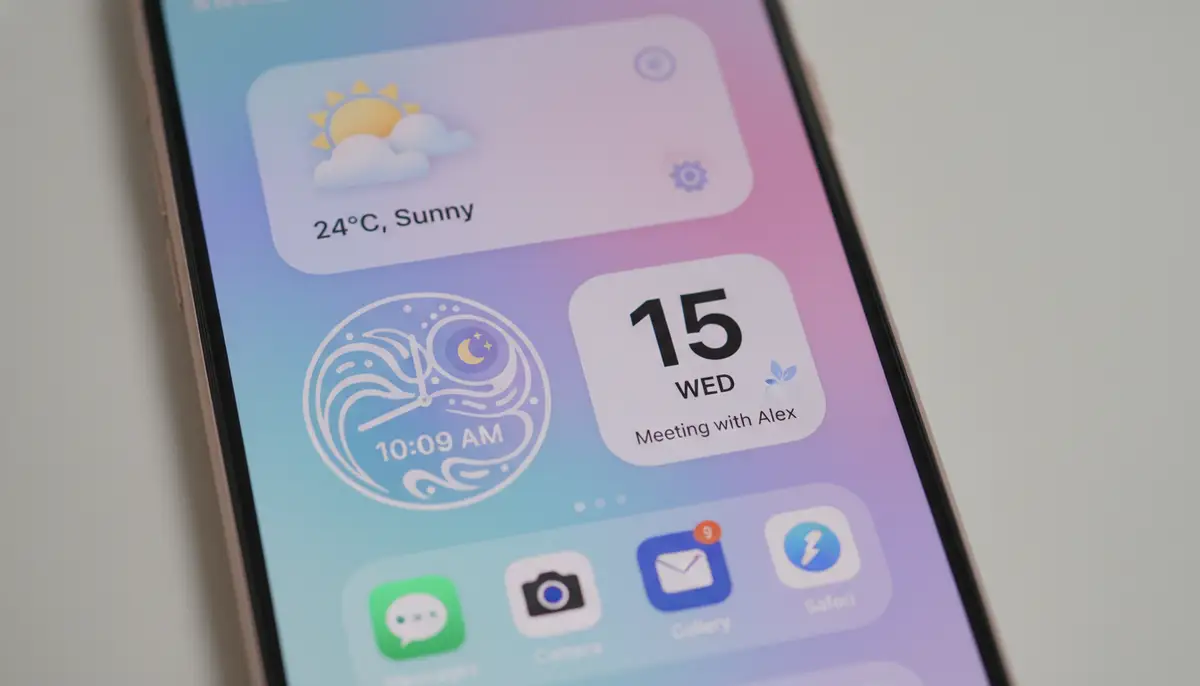
Each aesthetic offers a different experience. Experiment with a few to see what truly resonates with you. Remember, your aesthetic widget images should complement your wallpaper and app icons. Consistency is key to a polished look.
Finding and Curating the Perfect Aesthetic Widget Images
Once you have an aesthetic in mind, the hunt for the perfect aesthetic widget images begins. Fortunately, the internet is brimming with resources. You don't need to be a graphic designer to find stunning visuals. Many platforms offer free or affordable image packs and templates. Start by exploring popular design communities.
Pinterest is an excellent starting point for inspiration. You can find countless ideas and ready-to-use images. For example, check out this board dedicated to Widget Aesthetics. It offers a vast collection of aesthetic wallpapers and widget ideas. Additionally, searching for pictures for widgets on Pinterest can yield a treasure trove of suitable images, from abstract art to floral icons.
- Pinterest: A visual goldmine for inspiration and downloadable images.
- Unsplash/Pexels: High-quality, free stock photos for any theme.
- Etsy/Creative Market: Purchase curated widget packs and icon sets from independent artists.
- Reddit Communities: Subreddits like r/iOSsetups or r/androidthemes share user-created designs.
- Dedicated Widget Apps: Many apps come with their own libraries of aesthetic widget images and templates.
When curating your images, think about variety. You might want a mix of photos, illustrations, and text-based designs. Consider how these elements will interact on your screen. If you're looking to integrate specific information, like your daily news, exploring a guide on mastering the news app widget can help you find visually appealing options that align with your overall aesthetic.
Tools and Apps for Creating Custom Aesthetic Widget Images
Sometimes, pre-made aesthetic widget images don't quite fit your vision. That's when creating your own comes into play. You don't need professional design software to achieve beautiful results. Many user-friendly apps empower you to design custom widgets with ease. These tools often provide templates, fonts, and graphic elements to get you started.
For example, our platform, Widgetopia, offers an extensive collection of over 100,000 free home screen widgets for both iPhone, iPad, and Android. You can remix existing designs or create entirely new ones from scratch. This gives you unparalleled control over your aesthetic widget images. Other popular options include apps like Canva, which provides intuitive drag-and-drop features, and Adobe Express, for quick edits and design creation on the go. Companies like photowidget.net and colorwidgets.app also offer robust solutions for customizing your device's look and feel.
- Widgetopia: Design and remix 100,000+ free widgets for iOS and Android.
- Canva: Easy-to-use graphic design tool with templates for various widget sizes.
- Adobe Express: Quick photo editing and design creation, perfect for custom backgrounds.
- Widgetsmith (iOS): Create custom widgets with photos, text, and data.
- KWGT Kustom Widget Maker (Android): Highly customizable widget tool for advanced users.
When designing your own aesthetic widget images, pay attention to color palettes, font choices, and image resolution. High-quality images will always look better on your screen. Consider using transparent backgrounds for a seamless look. These tools make it simple to bring your unique vision to life, ensuring your home screen stands out.
Step-by-Step: Adding Aesthetic Widget Images to Your Device
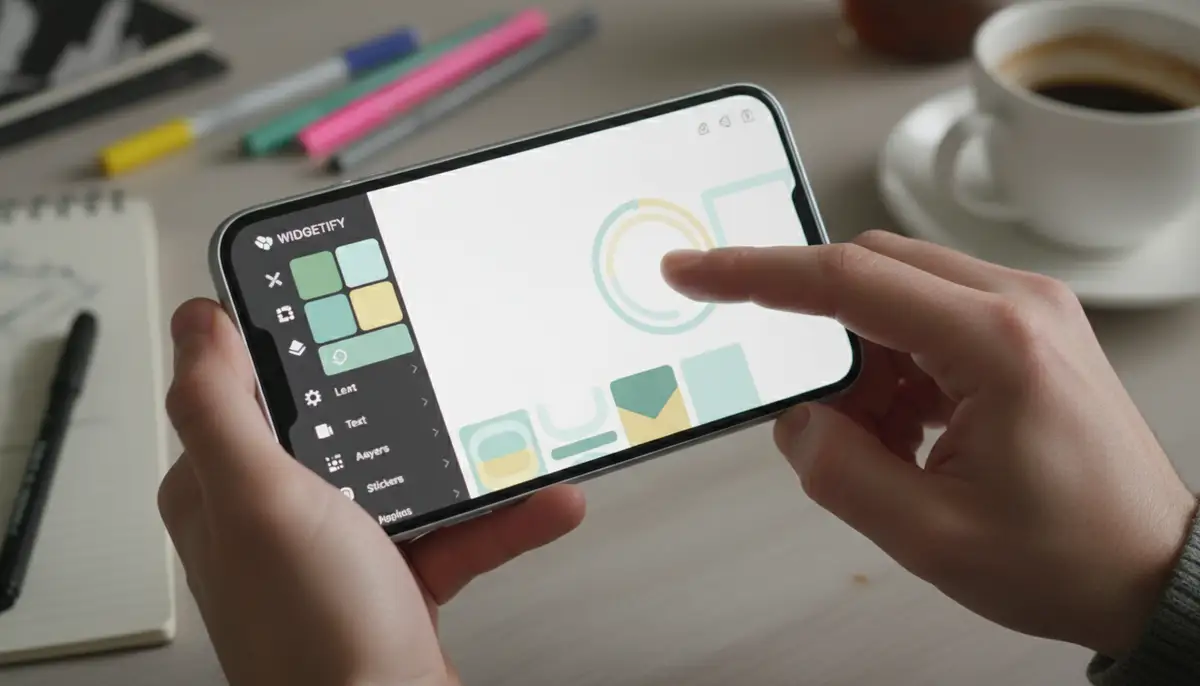
Now that you have your aesthetic widget images ready, it's time to put them on your home screen. The process varies slightly between iOS and Android, but both are straightforward. Follow these steps to transform your device.
For iOS Users
- 1. Update iOS: Ensure your iPhone or iPad is running iOS 14 or later.
- 2. Download a Widget App: Install an app like Widgetsmith, Photo Widget, or Widgetopia from the App Store. These apps allow you to create or import custom aesthetic widget images.
- 3. Create Your Widget: Open your chosen widget app. Select the size (small, medium, large) and type of widget you want. For photo widgets, choose your desired aesthetic widget images from your gallery.
- 4. Add to Home Screen: Go to your home screen. Tap and hold on an empty area until the apps jiggle. Tap the '+' icon in the top left corner.
- 5. Select Widget: Scroll down and select your widget app. Choose the size of the widget you configured. Tap 'Add Widget'.
- 6. Customize: If you have multiple widgets of the same type, tap on the newly added widget while still in jiggle mode to select the specific aesthetic widget image you created.
It's a simple process that unlocks a world of customization. You can easily swap out aesthetic widget images to match your mood or the season. For a visual guide, watch this helpful tutorial on
which, despite its title, covers similar principles applicable to iOS photo widgets as well.For Android Users
- 1. Download a Widget App: Install an app like Widgetopia, KWGT Kustom Widget Maker, or a dedicated photo widget app from the Google Play Store. Many apps, like Widget 2025: Aesthetic Widgets, available on Google Play, offer great functionality.
- 2. Create Your Widget: Open the widget app. Design or select your aesthetic widget images. Many apps allow you to set multiple photo widgets on your home screen.
- 3. Add to Home Screen: Tap and hold on an empty area of your home screen. Select 'Widgets' from the pop-up menu.
- 4. Select Widget: Scroll through the list of available widgets. Find your chosen widget app and select the size and type of aesthetic widget image you want to add. Drag and drop it onto your home screen.
- 5. Resize and Position: Once added, you can often tap and hold the widget to resize it or move it to your desired position. You can also edit its content directly from the home screen.
Android offers incredible flexibility for aesthetic widget images. You can layer widgets, create complex layouts, and integrate them deeply with your system. If you're looking to optimize other aspects of your Android device, check out our guide on finding the best Android calculator widget for ultimate productivity. Solutions from companies like Aesthetic Widgets also provide excellent customization options.
Advanced Tips for Maximizing Your Aesthetic Widget Images
Once you're comfortable with the basics, you can take your home screen customization to the next level. Advanced techniques allow for dynamic displays and even more personalized interactions with your aesthetic widget images. Don't be afraid to experiment with different settings and app combinations.
- Dynamic Widget Stacks (iOS): Create a Smart Stack of multiple widgets that rotate throughout the day, showing relevant information when you need it.
- Conditional Display (Android): Use apps like KWGT to create widgets that change based on time, location, or battery level, offering truly responsive aesthetic widget images.
- Seasonal Themes: Update your widgets with seasonal aesthetic widget images for holidays or changing seasons. Think autumn leaves in fall or snowflakes in winter.
- Interactive Widgets: Explore widgets that offer more than just static information. Some allow direct interaction, like checking off tasks or controlling music.
- Backup Your Layout: Many launchers (Android) and some widget apps allow you to save your home screen layout. This is crucial if you ever need to reset your device or want to try a new theme without losing your current setup.
| Widget Type | Aesthetic Potential | Example Image/Content |
|---|---|---|
| Photo Widget | High - Personal photos, art, mood boards | A collage of travel photos, a favorite painting, a motivational quote. |
| Clock Widget | Medium - Custom fonts, colors, minimalist/retro designs | A vintage flip clock, a minimalist digital display, an analog clock with unique hands. |
| Calendar Widget | Medium - Event highlights, custom backgrounds, clear typography | A clean monthly view with pastel colors, a daily agenda with custom icons. |
| Weather Widget | High - Animated weather, themed icons, scenic backgrounds | A serene landscape reflecting current weather, a stylized sun/cloud icon, a minimalist temperature display. |
| Battery Widget | Low - Simple bars, percentage displays, themed icons | A sleek battery bar matching your theme, a custom battery icon. |
These advanced tips help you create a home screen that is not only beautiful but also highly functional and responsive to your daily needs. The possibilities for aesthetic widget images are truly endless when you dive into these advanced features.
Syncing Your Aesthetic Across Devices
For many, the digital experience isn't limited to just one device. You might use an iPhone, an iPad, and an Android tablet. Maintaining a consistent aesthetic across all your devices creates a seamless and harmonious digital environment. This consistency extends beyond just wallpapers; it includes your aesthetic widget images too.
Use cloud storage services like Google Drive or Dropbox to store your custom aesthetic widget images and design assets. This makes them easily accessible from any device. Many widget apps also offer cloud syncing for your widget designs, so you can create a design once and apply it everywhere. This ensures that your personal brand and preferred aesthetic are always present, no matter which screen you're looking at.
Common Pitfalls to Avoid with Aesthetic Widget Images
While customizing your home screen with aesthetic widget images is exciting, there are a few common mistakes to avoid. These can detract from your overall aesthetic and even impact your device's performance. Being mindful of these pitfalls ensures a smooth and satisfying customization journey.
- Overcrowding: Too many widgets can make your home screen look cluttered and overwhelming. Aim for balance and intentional placement.
- Inconsistent Aesthetics: Mixing too many different styles or color palettes can make your home screen look disjointed. Strive for a cohesive theme.
- Performance Drain: Some complex or constantly updating widgets can consume battery life or slow down older devices. Monitor performance if you notice issues.
- Low-Resolution Images: Using pixelated or blurry images for your widgets will instantly diminish the aesthetic quality. Always use high-resolution visuals.
- Copyright Issues: Be mindful of image copyrights. Use royalty-free images or those you have permission to use. Platforms like Pinterest are great for inspiration, but always check usage rights for specific images if you plan to share them widely.
By avoiding these common errors, you can ensure your home screen remains both beautiful and functional. The goal is to enhance your experience, not hinder it. Thoughtful design leads to a better user experience with your aesthetic widget images.
The Future of Aesthetic Widget Images: What's Next?
The world of aesthetic widget images is constantly evolving. As technology advances, so do the possibilities for personalization and interaction. We are on the cusp of even more immersive and intelligent home screen experiences. The future promises exciting developments that will further integrate your digital life with your personal style.
- AI-Powered Customization: Imagine widgets that learn your preferences and automatically suggest aesthetic widget images or themes based on your daily routine or mood.
- Augmented Reality (AR) Widgets: Future devices might project widgets into your physical space, blending digital information with your real-world environment.
- Hyper-Interactive Widgets: Widgets could become more dynamic, offering mini-games, complex data visualizations, or even real-time collaborative tools directly on your home screen.
- Cross-Device Harmony: Even more seamless integration across all your smart devices, from your phone to your smart home display, ensuring a unified aesthetic.
These innovations will make our home screen widgets even more integral to our daily lives. The evolution of aesthetic widget images will continue to push the boundaries of what's possible in personalizing our digital spaces. To stay ahead of these trends and explore more ways to customize your device, keep an eye on new developments in home screen widgets and similar technologies.
In conclusion, aesthetic widget images are a powerful tool for personalizing your smartphone in 2025. They offer a unique blend of functionality and style, allowing you to create a digital environment that truly reflects you. By following the tips and strategies outlined in this guide, you can transform your device into a beautiful, efficient, and inspiring extension of your personality. Start exploring, designing, and enjoying your uniquely aesthetic home screen today!