Master Your Home Screen: The Ultimate Photo Widget for Android Guide (2025)
Your Android phone is more than just a device; it's a personal extension of yourself. In 2025, customizing its look and feel has never been easier or more powerful. One of the most impactful ways to personalize your digital space is by using a photo widget for Android. This simple yet effective tool allows you to bring your cherished memories, inspiring images, or important visual reminders directly to your home screen.
Imagine glancing at your phone and instantly seeing a rotating slideshow of your favorite vacation photos. Or perhaps a single, powerful image that motivates you throughout the day. A photo widget for Android makes this possible. This comprehensive guide will explore everything you need to know about these fantastic tools. We will cover how they work, the best options available, and how to make the most of them.
What is a Photo Widget for Android and Why Do You Need One?
At its core, a photo widget for Android is a small, interactive application that sits directly on your home screen. It displays images from your gallery, a specific album, or even online sources. Unlike a static wallpaper, a widget can be resized, repositioned, and often offers dynamic content. It's a window into your personal world, always visible and easily accessible.
Why is a photo widget for Android a must-have in 2025? The answer lies in personalization and emotional connection. Our phones are central to our daily lives. Seeing photos of loved ones, pets, or beautiful landscapes can instantly boost your mood. It creates a more intimate and unique experience with your device. You can learn more about the broader concept of these interactive elements in our ultimate guide to what is widget on Android.
Beyond personal sentiment, photo widgets offer practical benefits. You might use one to display a photo of a shopping list, a project deadline, or an inspirational quote. This puts important visual information front and center. It reduces the need to open specific apps to retrieve these details. This convenience saves you time and keeps you organized. The versatility of a photo widget for Android is truly remarkable.
Beyond Basic Photos: The Evolution of Photo Widgets
Early photo widgets were quite basic. They often displayed a single image without much customization. However, the landscape has changed dramatically. Today's photo widget for Android applications offer a rich array of features. They go far beyond simple image displays.
Modern photo widgets can act as sophisticated slideshows. They cycle through multiple photos at intervals you set. Many include beautiful frames, borders, and even text overlays. You can often apply filters or effects directly within the widget settings. This level of control allows you to match your photo widget perfectly with your overall home screen theme. It truly elevates your phone's aesthetic.
Choosing the Best Photo Widget for Android: Key Features to Look For
With so many options available, selecting the ideal photo widget for Android can feel overwhelming. Focusing on key features will help you make the best choice. Consider what truly matters to you in terms of functionality and aesthetics. Here are the essential features you should look for:
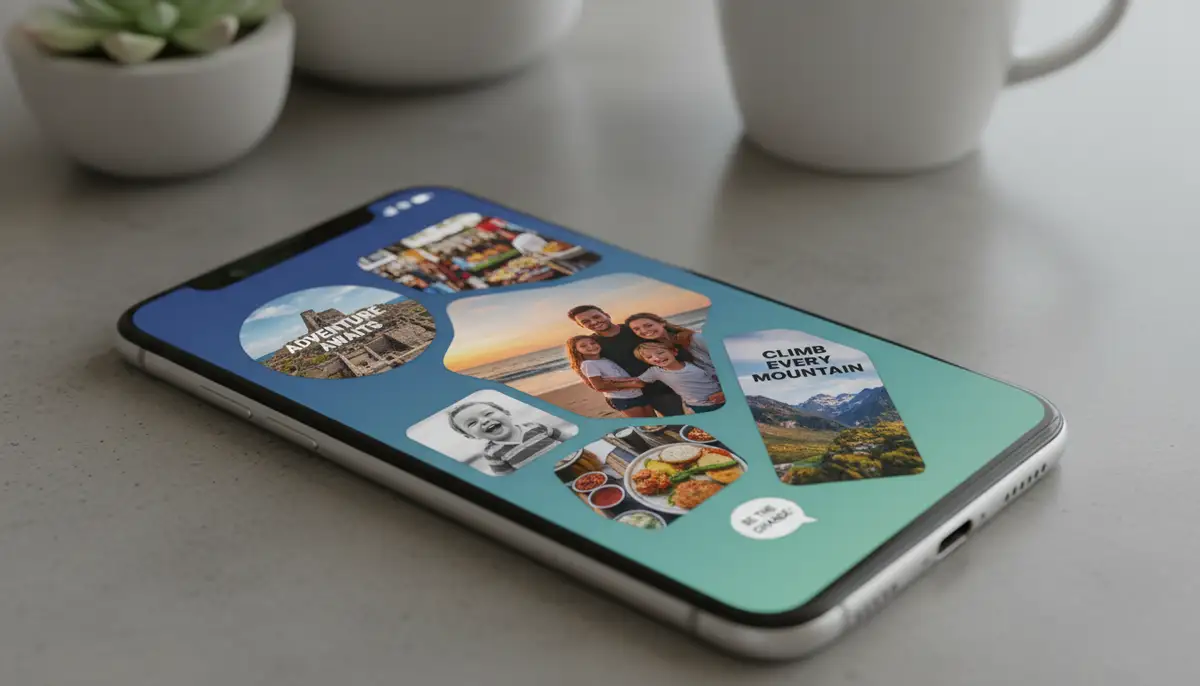
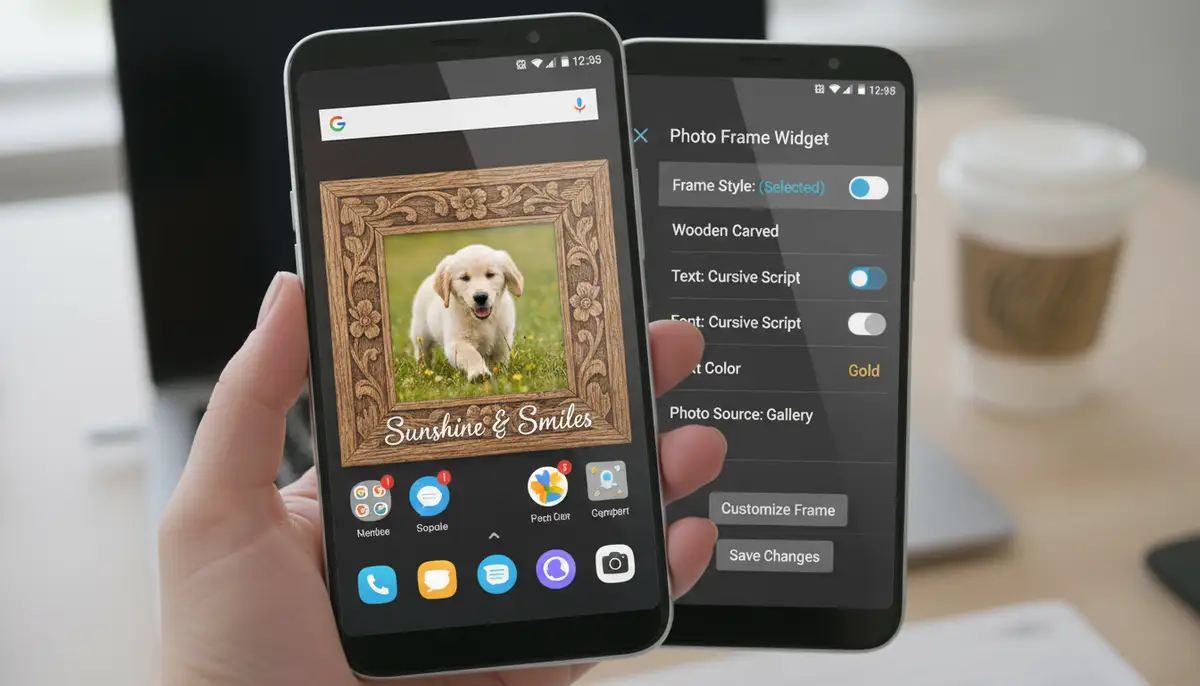
- Customization Options: Look for widgets that offer extensive control over appearance. This includes various frames, border styles, text overlays, and even font choices. You want to match your widget to your personal style.
- Slideshow Capabilities: If you want to display multiple photos, ensure the widget supports slideshows. Check for adjustable intervals, transition effects, and the ability to select specific albums.
- Resizing and Aspect Ratios: A good photo widget for Android should be easily resizable to fit any space on your home screen. It should also handle different photo aspect ratios gracefully, preventing cropping or distortion.
- Ease of Use: The best widgets are intuitive. They offer a straightforward setup process and easy access to customization settings. You shouldn't need a manual to get started.
- Performance and Efficiency: Widgets run in the background, so choose one that is optimized for battery life and memory usage. A poorly coded widget can slow down your phone or drain your battery quickly.
- Integration with Galleries: Seamless integration with your phone's existing photo gallery or cloud storage is crucial. This makes it easy to select and update your photos.
- Privacy and Permissions: Always check the permissions an app requests. A photo widget for Android should only need access to your photos and storage. Be wary of apps asking for unnecessary permissions.
- Widget Pack Support: Some advanced widget tools, like Widgetopia, allow you to use pre-designed widget packs. This can save you time and provide professional-looking designs instantly.
Considering these features will help you narrow down your choices. You can find a photo widget for Android that perfectly suits your needs. Think about how you intend to use the widget daily.
Free vs. Paid Photo Widget Options
The market for a photo widget for Android includes both free and paid applications. Each option has its own advantages. Free widgets are excellent for users who want basic functionality without any cost. They often provide core features like single photo display or simple slideshows. Many free options also offer in-app purchases to unlock premium features. This allows you to try before you buy.
Paid widgets or premium versions typically offer a wider range of customization options. They might include more advanced slideshow features, exclusive frame designs, or ad-free experiences. Some developers also offer better support for their paid applications. For those who value extensive customization and a polished experience, a paid photo widget for Android might be worth the investment.
There are also open-source alternatives. For example, you can explore Material Photo Widget on GitHub. This open-source project offers a simple, ad-free solution. It focuses on displaying your favorite photos without unnecessary frills. This is a great choice for users who prefer transparency and minimalist design. It shows the diverse range of options available for a photo widget for Android.
Top Photo Widget for Android Apps in 2025
The market for a photo widget for Android is dynamic, with new apps emerging and existing ones evolving. Here are some of the top contenders in 2025, offering a range of features for every user:
1. Photo Widget - Home Screen: This app is a popular choice for its balance of simplicity and powerful customization. It lets you organize your home screen with aesthetic photo widgets and discover beautiful frames. You can easily edit your home screen with your favorite photos. It provides a clean interface and reliable performance, making it a solid choice for many users seeking a versatile photo widget for Android.
2. Simple Photo Widget: As its name suggests, this app focuses on straightforward functionality. It's a simple photo widget application that does not have too many functions but has all the necessary features. It brings photos from your phone to the home screen efficiently. If you want a no-fuss photo widget for Android that just works, this could be your go-to.
3. Widgetopia: While not exclusively a photo widget, Widgetopia offers unparalleled customization. It provides a vast collection of 100,000 free homescreen widgets. You can remix existing designs or create your own from scratch. This includes highly customizable photo widgets with advanced features. Widgetopia stands out for its flexibility and community support. It allows you to design the exact photo widget for Android you envision.
4. PhotoWidget by photowidget.net: Companies like photowidget.net have also gained popularity. They offer robust solutions for displaying photos. These apps often focus on sleek design and user-friendly interfaces. They provide various templates and effects to enhance your images. Their offerings represent another strong contender in the photo widget for Android space.
5. Aesthetic Widgets: Similar to Widgetopia, Aesthetic Widgets focuses on visual appeal. Developers like Aesthetic Widgets provide tools for creating beautiful and themed home screens. This often includes sophisticated photo widget options. They cater to users who prioritize a cohesive and stylish look. This is a great option for users who want a photo widget for Android that integrates perfectly with a larger theme.
Widgetopia: Your Ultimate Customization Hub
When it comes to comprehensive home screen customization, Widgetopia truly shines. As a leading platform for home screen and lock screen widgets for both iOS and Android, we empower users like you. We provide an extensive library of over 100,000 free widgets. This includes an incredible array of options for a photo widget for Android.
With Widgetopia, you're not limited to pre-set designs. You can easily remix any existing widget to fit your exact preferences. Or, you can design your very own photo widget from the ground up. This gives you complete creative freedom. Imagine a photo widget that perfectly matches your wallpaper, your app icons, and even your mood. Widgetopia makes this a reality.
Our platform supports dynamic photo displays, custom frames, text overlays, and much more. Whether you want a simple rotating family album or a complex visual dashboard, Widgetopia has the tools. It's the go-to solution for anyone serious about personalizing their home screen widgets experience. Discover the power of a truly custom photo widget for Android with Widgetopia.
How to Add and Customize a Photo Widget for Android
Adding a photo widget for Android to your home screen is a straightforward process. While steps may vary slightly between Android versions and launchers, the general method remains consistent. Here’s a universal guide to get you started:
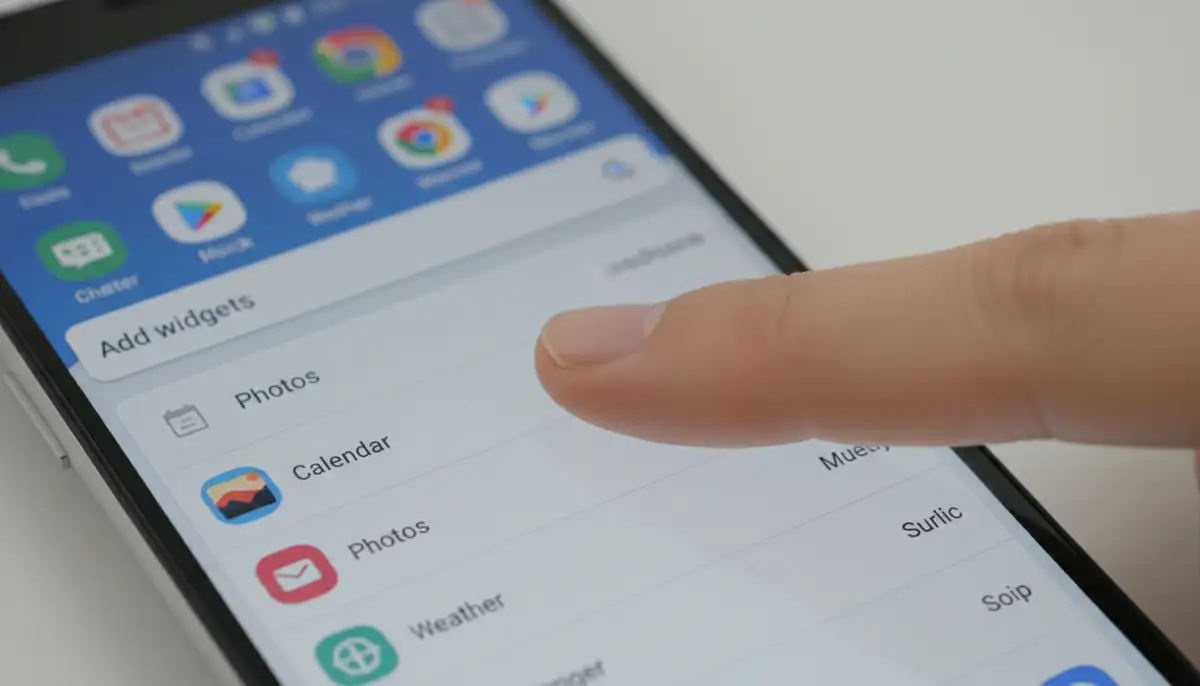
- Step 1: Long-Press Your Home Screen: Find an empty space on your Android home screen. Press and hold your finger on it for a few seconds. This action will usually bring up a menu with options like 'Widgets', 'Wallpapers', and 'Home Screen Settings'.
- Step 2: Select 'Widgets': Tap on the 'Widgets' option from the menu. This will open a list of all available widgets on your device. Scroll through this list to find your desired photo widget for Android application.
- Step 3: Choose Your Photo Widget: Locate the specific photo widget you want to add. It might be labeled 'Photo Widget', 'Picture Widget', or by the app's name (e.g., 'Widgetopia Photo'). Tap and hold the widget you want.
- Step 4: Drag and Drop: While holding the widget, drag it to your desired location on the home screen. Release your finger when it's in place. Your phone might automatically open the widget's configuration screen at this point.
- Step 5: Configure Your Widget: This is where the magic happens. The configuration screen allows you to select photos or albums, choose slideshow intervals, apply frames, and set other preferences. Follow the on-screen prompts of your chosen photo widget for Android.
- Step 6: Resize and Reposition: Once the widget is on your home screen, you can usually long-press it again to resize it. Drag the edges to make it larger or smaller. You can also drag it to a different position on your screen. This ensures it fits perfectly with your other elements.
Repeat these steps if you want to add multiple photo widgets. Each photo widget for Android can display different memories or themes. This allows for extensive personalization across your home screens.
Advanced Customization Tips for Your Photo Widget
Once you have a photo widget for Android on your home screen, you can take its customization to the next level. Think beyond just displaying photos. Consider how it integrates with your entire digital environment. Here are some advanced tips:
- Theme Cohesion: Match your photo widget's frames, borders, and text colors to your overall home screen theme. Use colors from your wallpaper or icon pack for a unified look.
- Dynamic Photo Selection: Many advanced photo widgets allow you to set rules for photo selection. For instance, display photos from a specific folder created in the last month. This keeps your memories fresh.
- Integrate with Other Widgets: Combine your photo widget with other functional widgets. For example, place it next to an Android clock widget for a complete information hub. Or pair it with a calendar widget to visually mark special dates.
- Scheduled Changes: Some widgets allow you to schedule different photo sets for different times of the day. You could have motivational photos in the morning and relaxing ones in the evening.
- Interactive Elements: Explore widgets that offer interactive features. Tapping the photo might open the full gallery, or a specific app. This adds another layer of functionality to your photo widget for Android.
- Live Wallpaper Integration: Use a transparent photo widget over a live wallpaper. This creates a stunning layered effect. It adds depth and movement to your home screen.
These advanced techniques can transform your photo widget from a simple image display into a dynamic, integral part of your Android experience. Experiment with different settings and combinations. Find what truly resonates with your style.
Troubleshooting Common Photo Widget for Android Issues
Even the best photo widget for Android can sometimes encounter glitches. Don't worry, most common issues have simple solutions. Here’s a quick guide to troubleshooting:
| Issue | Possible Cause | Solution |
|---|---|---|
| Widget Not Updating Photos | App permissions, battery optimization, or caching issues. | Check app permissions for storage access. Disable battery optimization for the widget app. Clear the app's cache (Settings > Apps > [Widget App] > Storage > Clear Cache). Restart your phone. |
| Photos Not Loading or Showing Blank | Incorrect photo selection, corrupted files, or insufficient storage. | Ensure you've selected an album with photos. Check if the photos are still present in your gallery. Try re-selecting the photos within the widget settings. Free up some storage space if needed. |
| Excessive Battery Drain | Poorly optimized widget app or too frequent updates. | Choose a reputable photo widget for Android. Reduce the slideshow update frequency in the widget settings. Consider uninstalling and reinstalling the app. |
| Widget Resizing Problems | Launcher limitations or app bug. | Try restarting your launcher (usually by clearing its cache/data). Some launchers have specific grid limitations. Try a different photo widget app if the issue persists. |
| Widget Disappears from Home Screen | Launcher crash, app uninstalled, or system error. | Long-press the home screen and re-add the widget. Ensure the widget app is still installed. Restart your phone. Check if your launcher is stable. |
| Photos Appear Blurry or Pixelated | Low-resolution source photos or incorrect scaling. | Use high-resolution photos. Check if the widget app has quality settings you can adjust. Ensure the widget is not stretched excessively beyond its original aspect ratio. |
If these solutions don't resolve your problem, check the app's support page or community forums. Developers often provide specific troubleshooting tips for their photo widget for Android. Sometimes, an app update might also fix known bugs.
The Future of Photo Widgets on Android
The evolution of the photo widget for Android is far from over. As technology advances, we can expect even more innovative features. Artificial intelligence will likely play a significant role. Imagine a photo widget that uses AI to automatically select and display your best photos from the day. It could even curate themed albums based on your mood or current location. This would offer a truly personalized experience.
Dynamic content will also become more prevalent. Your photo widget might integrate with smart home devices to display photos related to events happening in your home. Or it could pull images from social media feeds in real-time. Enhanced interactivity will allow for more engaging experiences. Tapping on a photo could reveal more context or trigger related actions.
Seamless cross-device syncing will also be a key development. Your photo widget for Android could mirror content from your tablet or smart display. This creates a cohesive visual experience across all your devices. Companies like colorwidgets.app and others in the market are constantly pushing boundaries. They are exploring new ways to make widgets more intelligent and integrated. The future promises an even richer and more intuitive photo widget for Android experience.
Conclusion: Personalize Your World with a Photo Widget for Android
The photo widget for Android is a powerful tool for personalizing your smartphone. It transforms a generic device into a canvas for your memories and inspirations. Whether you choose a simple display or a feature-rich slideshow, the benefits are clear. You gain a deeper connection with your device and a more visually engaging experience. It makes your phone truly yours.
In 2025, the options for a photo widget for Android are more diverse and sophisticated than ever before. From free, open-source solutions to comprehensive platforms like Widgetopia, there's a perfect fit for everyone. Take the time to explore different apps and experiment with their features. You'll be amazed at how much a small change can enhance your daily digital life.

Start customizing your home screen today. Bring your favorite moments and inspiring visuals to the forefront. A well-chosen photo widget for Android can make all the difference in making your phone feel uniquely yours. Embrace the power of personalization and make your Android home screen truly shine.